

Loader: MW4 Cheat
MW4 cheat loader not working? Fixes for the usual problems
Loader won't open, menu won't show, or the game crashes? Work through these fixes before opening a ticket.
Most loader problems have the same handful of causes. Go in this order.
1. Check the four Windows settings
HVCI, Core Isolation, TPM and Secure Boot all need to be on. If any are off, nothing else you try will matter. Use the system requirements guide.
2. Run as administrator
Right-click the loader and choose Run as administrator. Running it normally is the next most common cause of silent failures.
3. Antivirus blocks or deletes it
Add an exclusion for the loader’s folder. Only do this for the file from your official download. Never whitelist something from a re-upload or a stranger on Discord.
4. Check the status page
Open the status page. If it shows an update in progress, the loader is being brought in line with a new game build. Wait for it to go active.
5. Menu won’t open
- Press INSERT while the game window is focused.
- Try borderless windowed mode.
- Turn off other overlays: Discord, GeForce Experience, MSI Afterburner, screen recorders.
6. Game crashes on launch
- Verify game files in your launcher.
- Start the game first, reach the main menu, then run the loader.
- Update your graphics drivers.
7. Low FPS with visuals on
Turn off skeleton and snaplines, lower the distance cap, and close background apps.
8. Still stuck?
Open a ticket on the support page with:
- Your order email
- Windows version
- A screenshot of the exact error
- What you did right before it appeared
Our Discord is also useful for quick questions.
Not a customer yet?
If you’re comparing options, read what’s included first.
Related articles
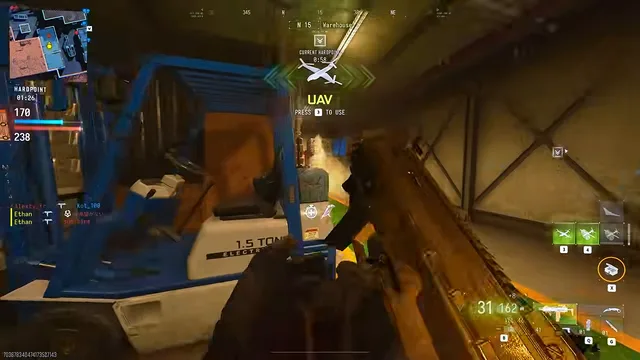
Risk and ban exposure: an honest MW4 safety guide
No tool is risk-free. Here's what raises or lowers your chances of trouble in MW4, what we can't promise, and why free downloads are a bad bet.

After a Modern Warfare 4 patch: your cheat update checklist
Patch: A game update just landed. Here's what to check before launching your MW4 tools so you don't waste time or take unnecessary risks.

MW4 cheat system requirements: HVCI, Core Isolation, TPM and Secure Boot
Before you buy, check these four Windows settings. Here's how to verify HVCI, Core Isolation, TPM and Secure Boot on Windows 10 and 11.